
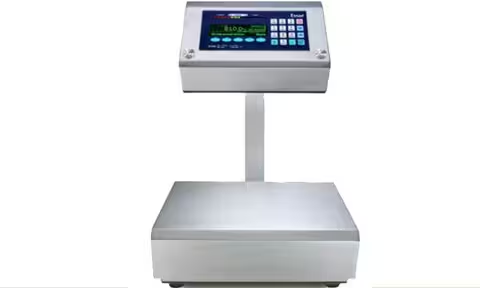
Modern scales do much more than display a number. They send weights to computers, trigger label printers, feed inventory systems, and sometimes control entire production lines. Making all of that work depends on communication protocols, the rules that let a scale and another device understand each other.
The choice matters most for equipment that works with data all day. An industrial counting scale, for example, calculates piece counts from weight, and those counts often need to flow directly into inventory, shipping, or production records. If the scale cannot communicate properly with your systems, someone ends up typing numbers by hand.
This guide explains the most common communication types found on scales, what each is good for, and how to pick the right one.
What Is a Communication Protocol in a Scale?
Two things work together when a scale talks to another device:
- The physical connection, such as a serial cable, a network port, or a wireless radio
- The protocol, which is the agreed language and format for the data being sent
The two layers are related but different. For example, a scale might use an RS232 connection to send simple text strings, or an Ethernet connection to send data using a protocol like Modbus TCP. Understanding both helps when you are matching a scale to a printer, PLC, or software system.
Serial Communication Types
Serial connections are the oldest and still very common in weighing.
RS232
RS232 is the classic point-to-point serial connection. It connects one scale to one device, such as a printer, PC, or display. It is easy to set up and widely supported, but it is limited to short distances, typically around 50 feet.
Best for: Simple connections to a nearby printer, label printer, or computer.
RS485
RS485 is a more robust serial standard designed for longer cable runs and electrically noisy plants. It supports multiple devices on the same pair of wires, and distances can extend to well over 1,000 feet.
Best for: Several scales or devices in a larger facility, especially where noise is a problem.
RS422
RS422 is similar in spirit to RS485 but is typically used for point-to-point or limited multi-drop connections, offering longer distances and better noise immunity than RS232.
Best for: Longer runs between two devices where RS232 would not be reliable.
USB
USB is common on newer indicators for connecting to a PC, printer, or storage device. It is convenient and widely understood, though cable length is limited and it is better suited to office or bench environments than harsh plant floors.
Best for: Simple PC connections, data export, and firmware updates.
Network Communication
Ethernet (TCP/IP)
Ethernet places the scale on a network, allowing multiple devices to communicate over standard infrastructure. It supports long distances, high speed, and easy integration with software systems.
Best for: Facilities that want to connect many scales to databases, ERP systems, or remote monitoring.
Wi-Fi and Wireless
Wireless options remove the cable altogether, which can be helpful for scales that move or are located where cabling is difficult. They require careful attention to signal strength, interference, and security.
Best for: Portable scales, temporary installations, or hard-to-wire areas.
Bluetooth
Bluetooth offers short-range wireless connections to phones, tablets, or nearby printers. It is convenient for handheld or mobile use, but it is not intended for long distances or complex network setups.
Best for: Portable weighing with tablets, mobile apps, or portable printers.
Industrial Automation Protocols
When a scale becomes part of an automated process, it often needs to speak the same language as PLCs and control systems.
Modbus (RTU and TCP)
Modbus is one of the most widely used industrial protocols. Modbus RTU runs over serial lines such as RS485, while Modbus TCP runs over Ethernet. It is simple, well documented, and supported by a huge range of devices.
EtherNet/IP
Common in North American plants, particularly those using Rockwell/Allen-Bradley PLCs. It allows fast, real-time exchange of weight and status data with controllers.
PROFINET and PROFIBUS
Popular in facilities that use Siemens equipment. PROFINET operates over Ethernet, while PROFIBUS is the older fieldbus version.
DeviceNet
An older network often found in legacy automation systems, still used in many established plants.
4-20 mA and 0-10 V Analog Outputs
Analog outputs send a continuously varying signal proportional to weight. They are simple and can be useful for basic control, though they lack the detail and diagnostics of digital protocols.
Best for: Process control, filling, and batching where a PLC reads the signal directly.
Continuous Output vs. Demand Output
Beyond the connection type, scales also differ in when they send data.
- Continuous output: The scale streams weight data constantly, which is useful for displays and process monitoring.
- Demand output: The scale sends data only when requested, either by pressing a print button or when a computer sends a command. This is more common for recording individual weighments or piece counts.
The right choice depends on whether you need live data or a clean record of specific events.
How Communication Works in an Industrial Counting Scale
A counting scale determines quantity by weighing a small sample of known pieces, calculating an average piece weight, and then dividing total weight by that average. The result is a fast, consistent count that would take far longer by hand.
Because counts feed into other decisions, communication features are especially valuable. Typical uses include:
- Label and ticket printing for bins, pallets, and shipments
- Inventory updates sent directly to ERP or warehouse software
- Cycle count and physical inventory data captured without manual entry
- Production tracking, logging how many parts were completed
- Shipping verification, confirming that the right quantity is on the pallet
The accuracy of a count depends heavily on the quality of the sample, the resolution of the scale, and consistent piece weights. Communication features do not improve the count itself, but they do ensure the count gets recorded without transcription mistakes.
How to Choose the Right Communication Option
A few practical questions can narrow the field quickly.
What Are You Connecting To?
A label printer, a PC, a PLC, and an ERP system may each prefer different interfaces. Check what the receiving device supports first.
How Far Apart Are the Devices?
Short distances suit RS232 or USB. Longer runs call for RS485, RS422, or Ethernet.
How Many Scales and Devices Are Involved?
One scale and one printer is a simple setup. A warehouse with many scales feeding a central database calls for a network-based approach.
What Is the Environment Like?
Electrical noise, moisture, dust, and temperature all affect cable and connector choices. Industrial settings often benefit from shielded cable and sealed connections.
How Much Data Do You Need?
Basic weight and count output is easy. If you need status codes, diagnostics, or two-way control, a more capable protocol is worth considering.
Do You Plan to Grow or Upgrade?
Choosing an indicator with flexible, upgradeable communication options can save money when your needs change.
Common Mistakes to Avoid
- Mismatched settings. Baud rate, parity, and data bits must match on both ends of a serial connection.
- Wrong cable. Pin configurations vary, and a cable that fits is not always a cable that works.
- Ignoring noise. Running communication cables next to power lines can corrupt data.
- Overlooking security. Networked scales need the same attention as any other connected device.
- Skipping documentation. Record settings and addresses so changes later are painless.
Most communication problems turn out to be one of these small, fixable issues.
Calibration and Maintenance Still Matter
A perfectly connected scale that has drifted out of tolerance still gives bad data, only faster. Regular calibration, inspection, and cleaning keep the numbers coming from a counting scale trustworthy. If your piece counts drive inventory, billing, or production decisions, treat calibration as part of your data quality program, not as an afterthought.
Finding the Right Scale for Your Application
Selecting a scale with the right communication options is easier when you talk with someone who works with weighing equipment every day. Industrial Scale Inc. offers a range of weighing products, including a selection of industrial counting scale options for inventory, shipping, and production use.
If you are not sure which interface or protocol fits your setup, contact Industrial Scale Inc. and describe the equipment you are connecting. A short conversation up front can save a lot of troubleshooting later.
Frequently Asked Questions
What is the most common communication type on industrial scales?
RS232 remains very common, especially on older and general-purpose indicators. Ethernet and USB are increasingly standard on newer models, and industrial plants often use protocols such as Modbus or EtherNet/IP.
What is the difference between a connection type and a protocol?
The connection is the physical path, such as a serial cable or network port. The protocol is the set of rules that define how data is formatted and exchanged over that path.
Can an industrial counting scale send data to inventory software?
Many can, through RS232, USB, or Ethernet connections, depending on the model and software. Some setups use software or middleware to translate scale output into the format your system expects.
Which is better for long distances, RS232 or RS485?
RS485 is better for long distances and noisy environments. RS232 is generally limited to about 50 feet.
Do I need Ethernet on my counting scale?
Not always. If your scale connects to a nearby printer or PC, a simple serial or USB link may be enough. Ethernet is more useful when you want to connect multiple scales or integrate with network-based systems.
Conclusion
Scales communicate in many languages, from simple serial links to full industrial networks. The best option depends on what you are connecting, how far apart the equipment is, and how much data you need. Matching those factors to the right protocol keeps your weights and counts flowing smoothly into the systems that rely on them. When you are ready to choose or upgrade, explore an industrial counting scale that fits your workflow, or talk with the Industrial Scale Inc. team about the right setup for your operation.